

April 1st passes by, and with it, the harmless pranks and spoof announcements that keep us guessing on April Fools' Day vanish.
But scammers keep targeting you, oblivious to the calendar.
Spring marks a peak season for cybercriminals. Not due to negligence, but because busy minds and fast-paced days leave room for cleverly disguised threats to slip through unnoticed.
Below are three active scams targeting even the most vigilant employees as they navigate their daily tasks.
As you review, ask yourself: Would my entire team be alert enough to identify each of these?
Recurring Scam #1: Fake Toll or Parking Notifications
An employee receives a text message stating:
"You owe $6.99 in unpaid toll fees. Pay within 12 hours to avoid penalties."
The message cites familiar toll systems like E-ZPass, SunPass, or FasTrak, tailored to the recipient's state. The small amount appears harmless, often prompting quick payment between meetings.
But the payment link leads to a fraudulent site.
In 2024 alone, the FBI logged over 60,000 complaints about these deceptive toll texts, and the numbers surged by 900% in 2025. Cybercriminals have built more than 60,000 spoof domains mimicking legitimate toll agencies — a massive infrastructure revealing how lucrative this scam has become. Some messages even target states without toll roads.
The scam capitalizes on familiarity and a small charge that doesn't raise suspicion, combined with recent experiences of tolls or parking in downtown areas.
How to protect your team: Authentic toll authorities never demand instant payment via text. Enforce a strict policy: payments must be made only through official websites or apps accessed independently. Never reply to suspicious texts—not even to opt out—as that confirms your contact details to scammers.
Easy convenience lures victims; disciplined process blocks scams.
Recurring Scam #2: "Your File Is Ready" Phishing Emails
This scam integrates seamlessly into routine work.
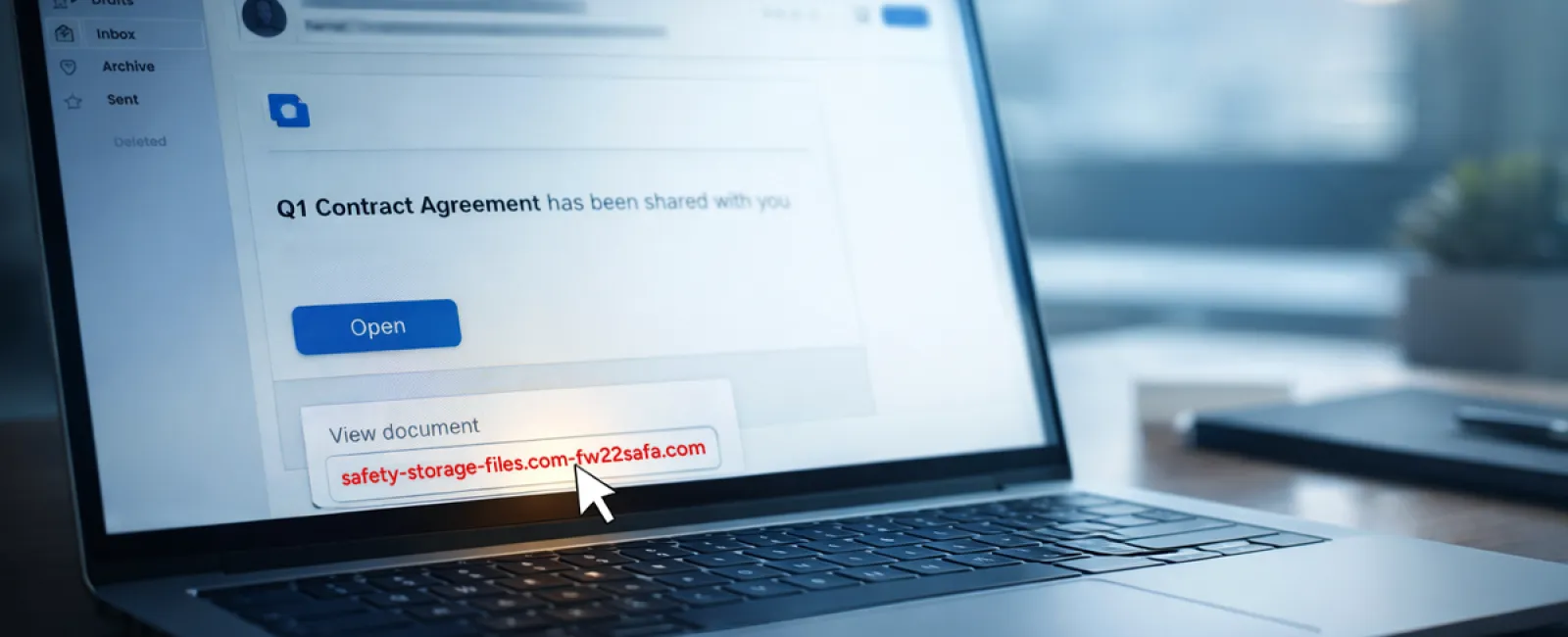
An employee receives an email notifying them that a file has been shared—often appearing to be contracts via DocuSign, spreadsheets in OneDrive, or documents on Google Drive.
The sender's name looks legitimate, and the email's design mimics genuine file-sharing alerts.
When the link is clicked, the victim is prompted to enter their login credentials, unwittingly handing them to attackers who then gain access to your company's cloud environment.
Phishing attacks exploiting trusted platforms like Google Drive, DocuSign, Microsoft, and Salesforce rose 67% in 2025, according to KnowBe4's Threat Labs. Google Slides phishing alone surged over 200% in just six months.
Alarmingly, employees are seven times more likely to engage with these disguised threats than with random phishing emails because the notifications are indistinguishable from real ones.
Advanced attackers even use compromised accounts to send these notifications, making the emails pass through authentic Google or Microsoft servers and bypass spam filters.
Best defense: Train employees not to click unexpected file links in emails. Instead, they should log into platforms directly via their browser to verify shared files. Limit external sharing permissions and enable alerts for unusual login attempts—settings your IT team can configure quickly.
Consistent habits build powerful protection.
Recurring Scam #3: Sophisticated AI-Generated Phishing Emails
Gone are the days of easily spotted phishing emails rife with errors and odd formatting.
A 2025 study revealed AI-crafted phishing emails garnered a 54% click-through rate—over four times higher than emails written by humans.
These messages reference real company names, specific job titles, and workflows gathered swiftly from LinkedIn and corporate sites, making them appear authentic.
The latest tactics include pinpoint targeting: HR and payroll receive fraudulent employee verification requests, finance teams get bogus vendor payment alerts. In recent tests, 72% of staff interacted with vendor impersonation emails, a 90% increase over other phishing types. The tone is professional and urgent but not alarmist, blending into an ordinary workday inbox.
How to counter: Require dual verification for credential, payment, or sensitive information requests via phone, chat, or in-person follow-up. Employees should always hover over email addresses to confirm domains before clicking. Treat any email pressuring for immediate action as suspicious.
Effective security relies on calm vigilance, not fear.
The Core Issue
These scams exploit our sense of normalcy, authority cues, timing, and the belief that "this will only take a moment."
The real vulnerability isn't careless employees—it's relying on the assumption everyone will always pause, verify, and make flawless decisions under pressure.
When a single hurried click can cause chaos, it's not a people issue—it's a process failure.
And the good news: processes can be fixed.
How We Support You
Business owners don't want another complicated project or to be tasked with training everyone on what not to click.
They want confidence that their company isn't exposed to hidden risks.
If you're worried about your team's security—or know someone who should be—let's talk.
Book a clear, no-pressure discovery call to discuss:
- Current threat patterns impacting businesses like yours
- Common vulnerabilities during everyday operations
- Practical strategies to reduce risk without slowing workflows
No hype. No scare tactics. Just a chance to identify concerns and explore solutions.
Click here or give us a call at 816-256-2595 to schedule your free 15-Minute Discovery Call.
If this topic isn't relevant to you, please share it with someone who'd benefit. Knowing what to watch for can turn a "would have clicked" into a "nice try."